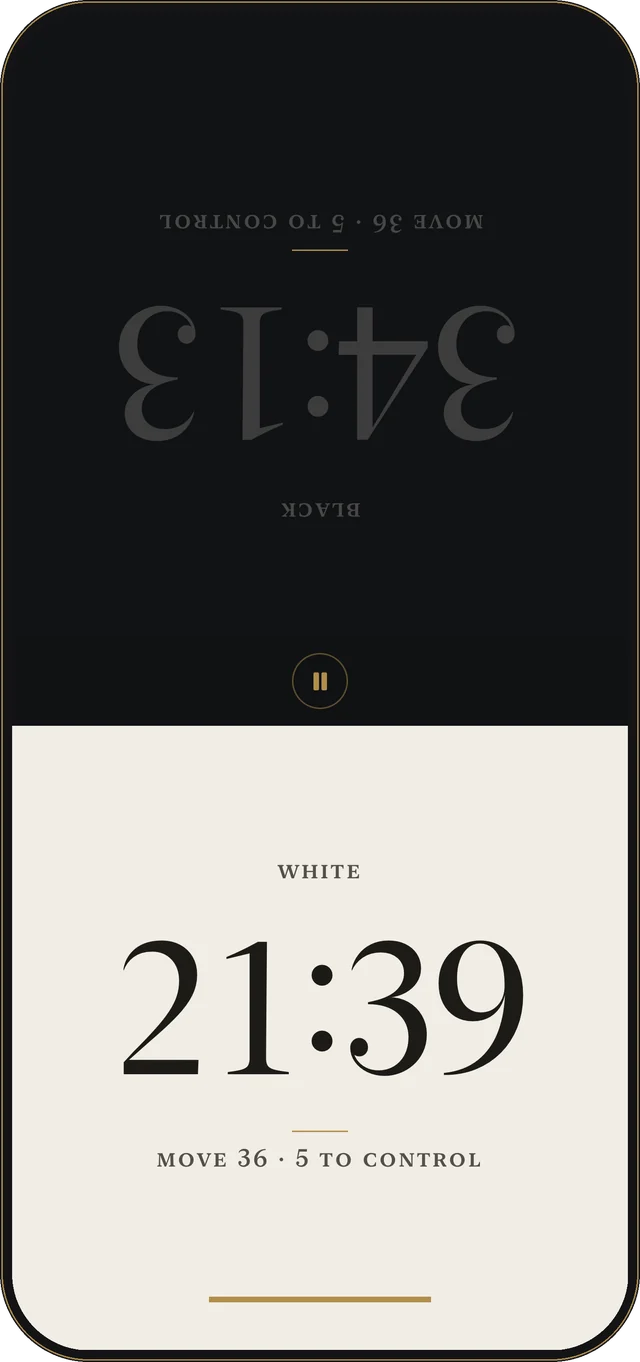
Everything a tournament game needs, one level down.
The screen is two clocks and nothing else. The rest is there when you need it.
Every time control
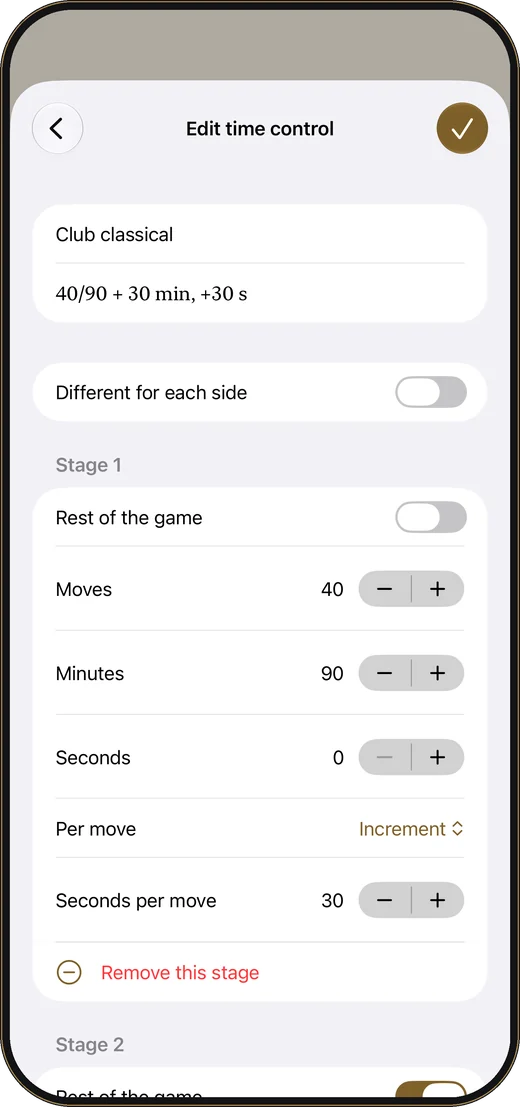
Sudden death, Fischer increment, Bronstein delay and simple delay. Multi-stage controls, such as 40 moves in 90 minutes, then 30 minutes, with 30 seconds a move.
Ready to play
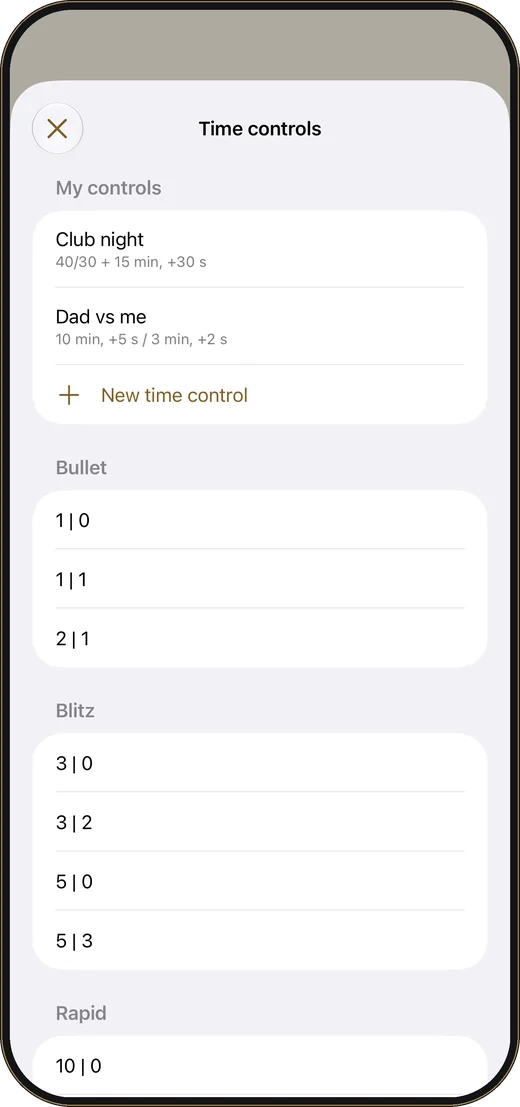
Presets for bullet, blitz, rapid and classical, and the standard tournament controls. Pick one and start.
A tap that counts
A tap counts the moment your finger lands. Only the running clock responds, and a hand resting on the screen never presses it.
Correct the clock
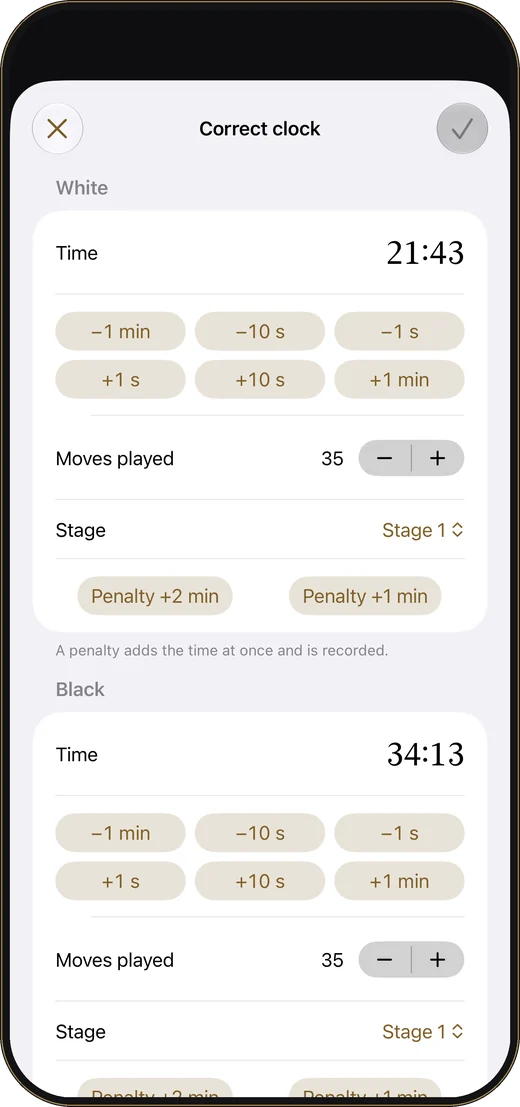
Pause and adjust as an arbiter would: time, moves, stage, a forgotten increment, a two-minute penalty.
Read at a glance
Move counter, moves left to the time control, a low-time warning, and tenths of a second when it gets close.
Nothing interrupts
The screen stays on during a game, edge swipes need a second swipe, and a phone call pauses the clock.
 Free
Bullet to classical
Presets grouped the way players name them.
 Free
Correct the clock
Fix a mistake without restarting the game.
 Arbiter Pro
Your own time controls
Up to four stages, and a different time for each player.
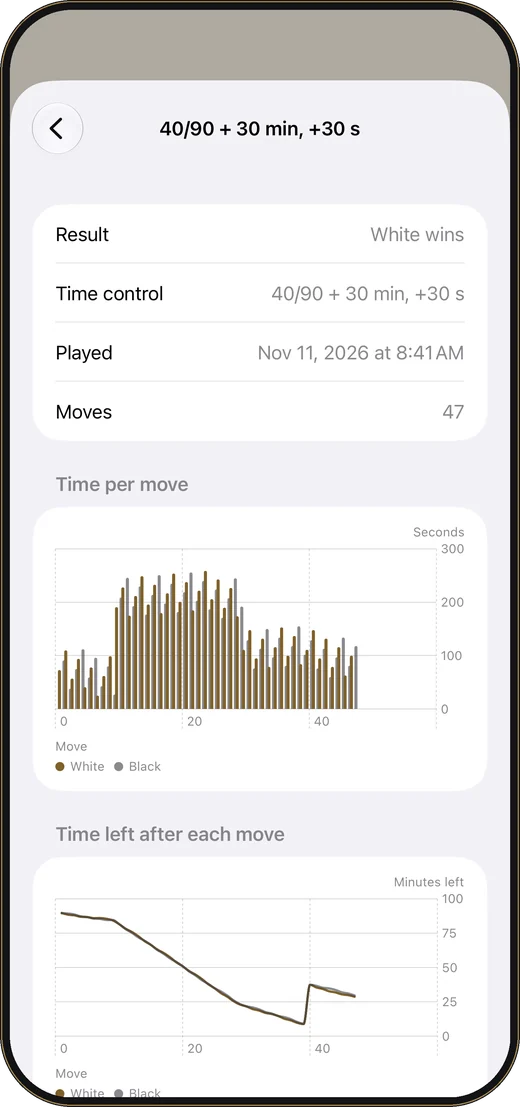 Arbiter Pro
See where the time went
The time each move took, and the time left after it.
Three looks, light and dark.
Tournament is calm and classical. Dial is quiet, for long games. Signal shows whose move it is from across the room.
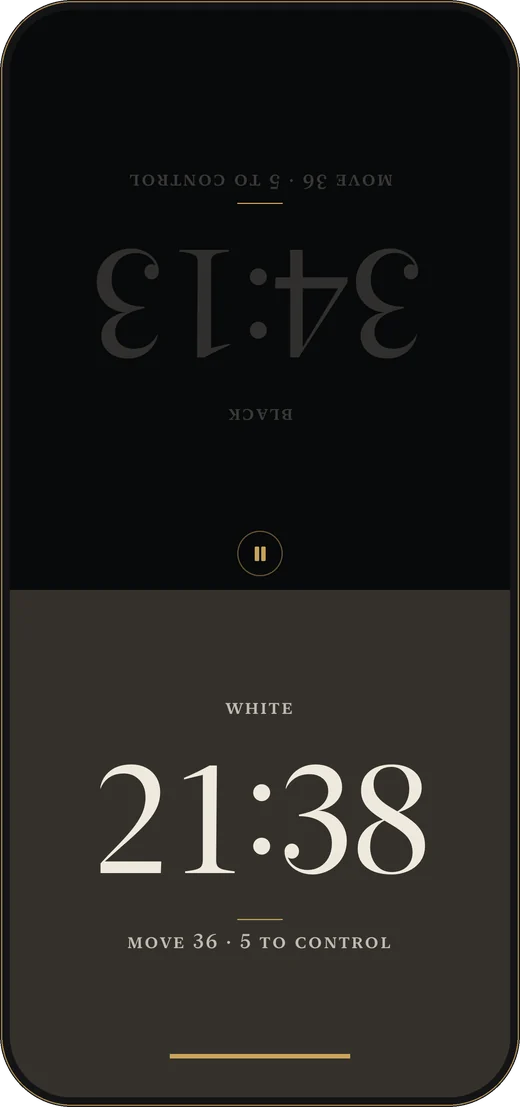 Free
Tournament
Included, in light and dark.
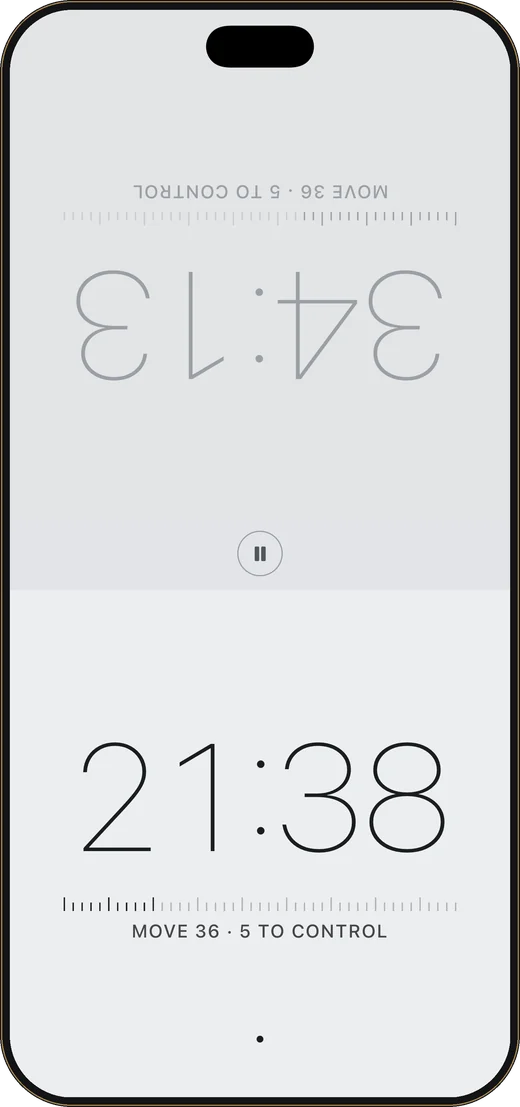 Arbiter Pro
Dial
A quieter look for long games.
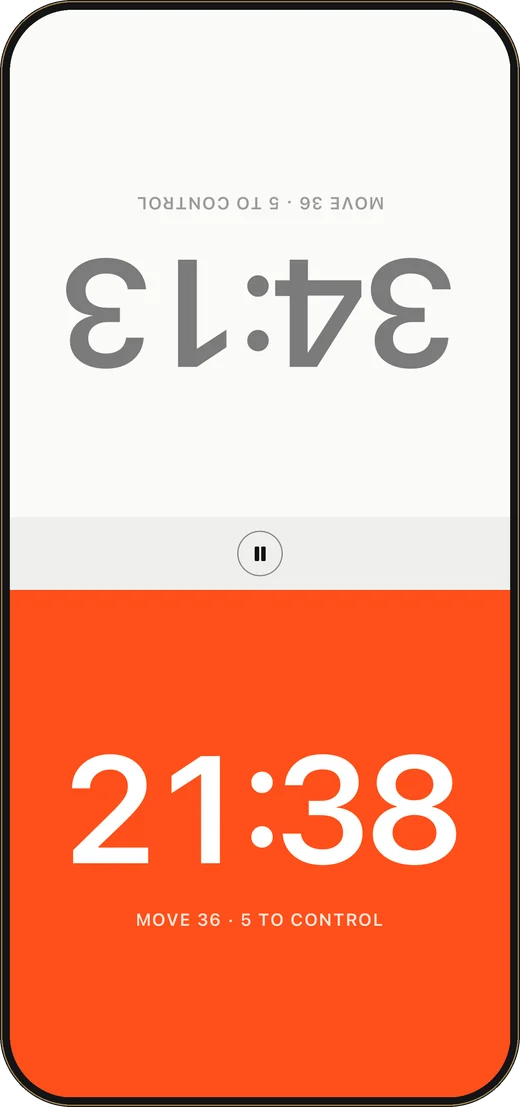 Arbiter Pro
Signal
Whose move it is, at a glance.
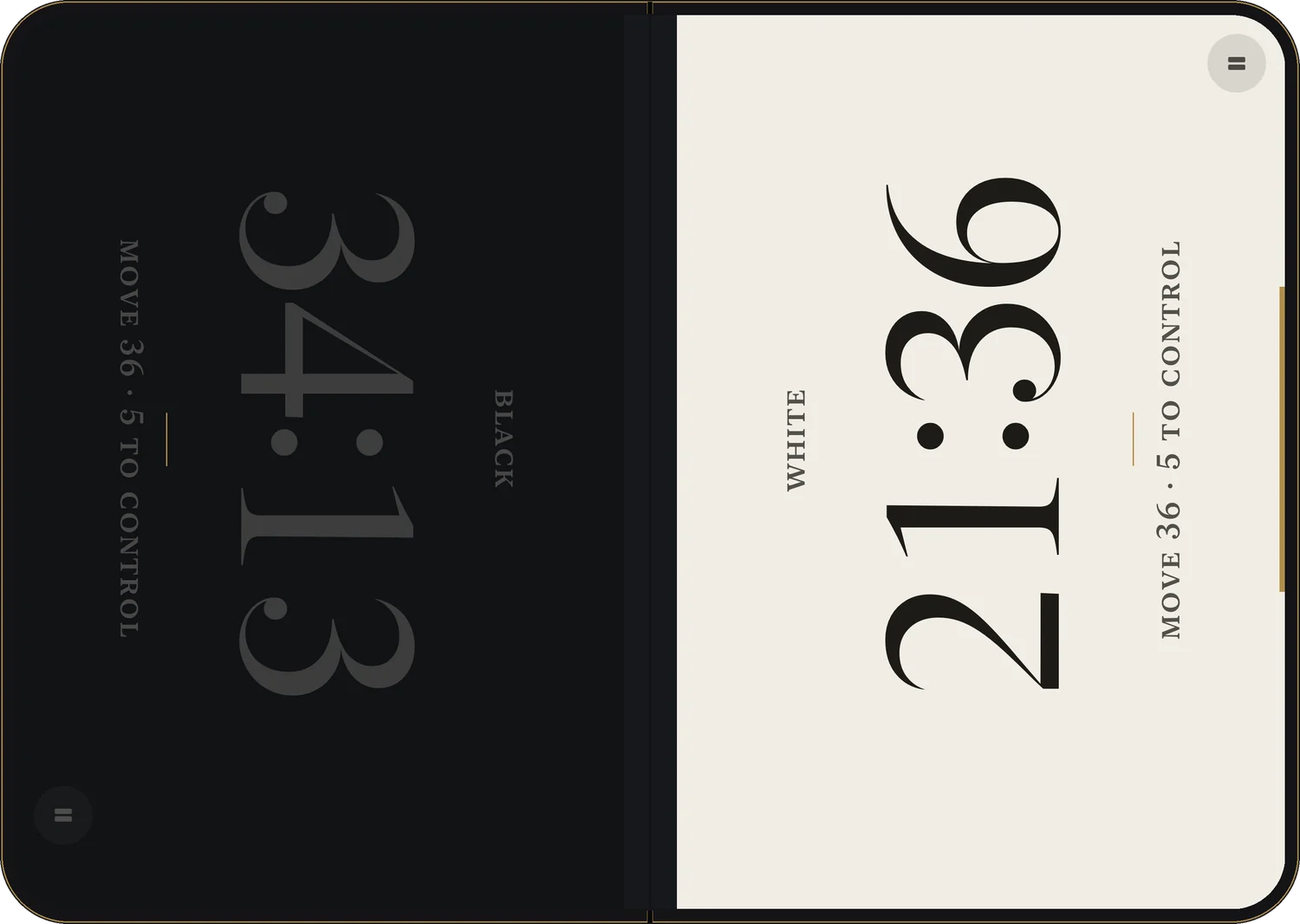
iPhone Duo and iPad
One half for each player.
On the open iPhone Duo the fold is the centre line, and time controls and settings open beside the clock instead of over it. On iPad, the clock lies flat between the players or stands upright.
Chess time controls, explained.
A time control says how much time each player has and what happens after every move. These are the kinds a chess clock needs to handle, and all of them are in Arbiter.
Sudden death
Each player has a fixed amount of time for the whole game, and nothing is added. 5 minutes each is written 5|0, 5+0 or G/5.
Increment (Fischer)
A few seconds are added to your clock after every move you make, so time you do not use is kept. 3|2 means 3 minutes plus 2 seconds a move. Named after Bobby Fischer, who patented a clock that worked this way.
Bronstein delay
After each move you get back the time you spent on it, up to the delay. With a 5-second delay, a move that took 3 seconds gives 3 seconds back, and a move that took 20 gives 5. Your clock can never gain time overall. Named after David Bronstein.
Simple delay
Your clock waits for the delay before it starts counting down on every move. Written G/60; d5: 60 minutes with a 5-second delay. It is the usual choice at tournaments in the United States.
Multi-stage controls
Long games are often split into stages: a number of moves in a first period, then more time. 40/90, then 30 minutes, +30 means 40 moves in 90 minutes, then 30 minutes for the rest of the game, with 30 seconds added from move one.
Bullet, blitz, rapid and classical
The names describe how long a game lasts. Under the international federation's rules, blitz is 10 minutes or less per player and rapid is more than 10 but less than 60, counting the base time plus 60 moves of increment. Bullet is what players call anything under about 3 minutes.
| Kind | Common controls, all presets in Arbiter |
|---|---|
| Bullet | 1|0 · 1|1 · 2|1 |
| Blitz | 3|0 · 3|2 · 5|0 · 5|3 |
| Rapid | 10|0 · 10|5 · 15|10 · 25|10 |
| Classical | 30|0 · 30|20 · 60|30 · 90|30 |
| Tournament | 40 moves in 90 minutes, then 30 minutes, +30 seconds a move · G/90 +30 · G/60; d5 · 40/120, SD/60; d5, and more |
Try any of these in your browser with the free online chess clock.
Free, with one purchase for the extras.
Arbiter
Free
- Every time control and all presets
- Correct the clock, pause, end with a result
- The Tournament look, light and dark
- The Standard sounds and all haptics
- iPhone, iPad and iPhone Duo layouts
Arbiter Pro
One purchase · no subscription
- The Dial and Signal looks
- The Escapement and Signal sounds
- Your own time controls, with up to four stages
- Game history, with the time each move took
- Family Sharing
No ads and no account. Your games stay on your device. Privacy policy
Questions.
Is Arbiter free?
Yes. The whole clock is free: every time control, the presets, the Tournament look in light and dark, the Standard sounds and all haptics. Arbiter Pro is one optional purchase that adds two more looks, two sound sets, your own saved time controls and game history. There is no subscription and there are no ads.
Does it support increment and delay?
Yes. Arbiter has sudden death, Fischer increment, Bronstein delay and simple delay, and multi-stage controls such as 40 moves in 90 minutes, then 30 minutes, with 30 seconds added each move.
Does it work on iPad and iPhone Duo?
Yes. On iPad the clock can lie flat between the players or stand upright. On the open iPhone Duo each player gets one half of the display, with the fold as the centre line.
Can I use Arbiter in a tournament?
That is for the organiser or arbiter of the event to decide. Many events do not allow phones in the playing area. Arbiter is well suited to club nights, casual games, training and events that allow it.
Does it need an internet connection?
No. The clock, your games and your settings all work offline and stay on your device. There is no account.
How do I get Arbiter Pro back on a new device?
Open Settings in the app and choose Restore Purchases. Arbiter Pro belongs to your Apple Account and is never charged twice. It also supports Apple's Family Sharing.
How do I get a refund?
Purchases are handled by Apple. You can ask for a refund at reportaproblem.apple.com.
Which languages does Arbiter speak?
English, German, Dutch, Spanish, French, Italian and Brazilian Portuguese.
Support.
A question, a problem, or a time control you would like to see? Write to
It helps to mention your device and the version of Arbiter, shown at the bottom of the app's Settings.